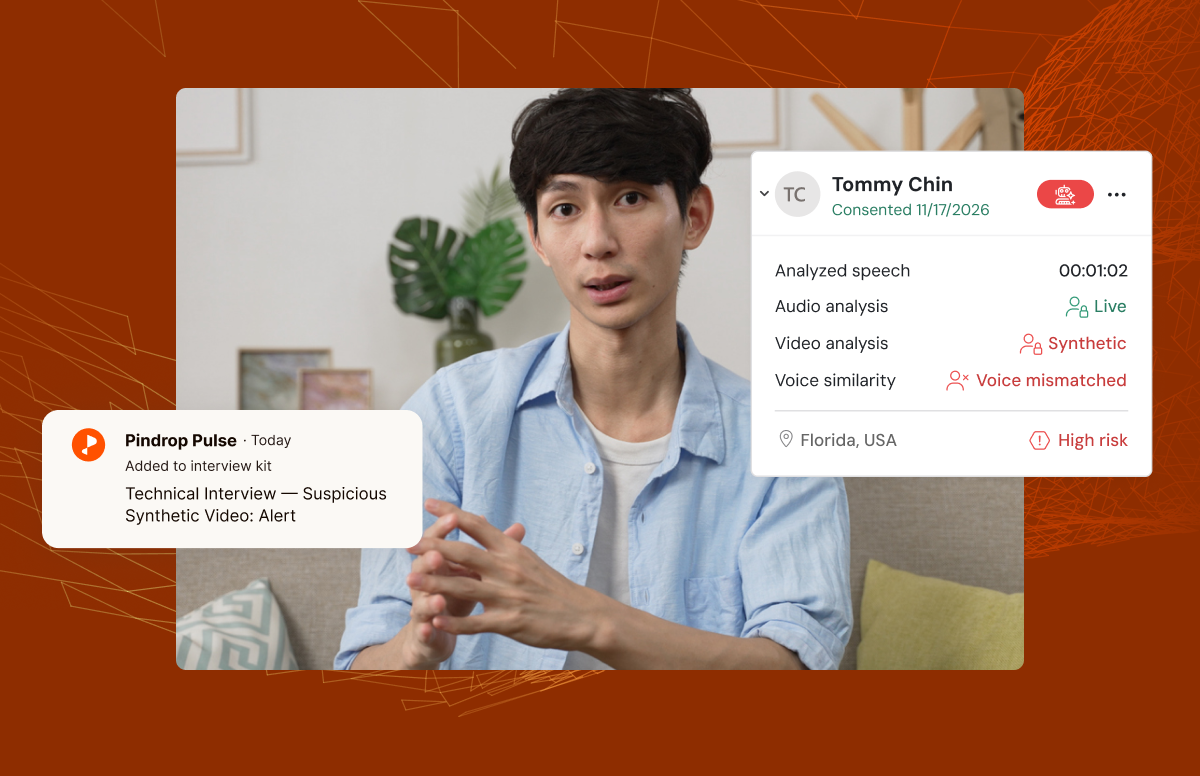


The volume of agents calling has increased exponentially in 2026: Pindrop detected 1.88M agents over three months in 2026, and this volume will continue to grow as agents become more powerful and accessible.
Enterprises everywhere, from JPMorgan to Walmart, are now facing a new challenge: how do you detect which callers are AI, which human each agent represents, and how each interaction should be handled? Pindrop found that roughly 1 in 80 calls from June to July 2026 were from AI agents, and for every minute your employees spend talking to a bot, that’s one less minute they’re spending with a real customer.
Part of routing and managing AI agents comes down to agent disclosure. Sierra’s Personal Agent Protocol, or Poppy, is the first widely backed standard for how they identify themselves and get permission. Here’s what it covers, and what still reaches your contact center by phone.
What is the Personal Agent Protocol?
The Personal Agent Protocol is an open standard for how personal AI agents work with companies on a customer's behalf.
When a customer asks an agent to check a balance, rebook a flight, or dispute a charge, Poppy gives the AI agent a clearly defined way to say who it is, ask for the access the customer approved, and complete the task through the company's website, its APIs, or the company's own AI agent.
Before Poppy, a personal agent would sign in as the customer and navigate webpages built for people. Bot traffic becomes conflated with human traffic, and the company may not have a standardized way to tell that an agent is on the other end, who sent it, or what the customer actually allowed it to do.
Poppy addresses that gap on three points:
Where did Poppy come from, and who is adopting it?
Sierra released version 1.0 on November 13, 2026. Initial design partners included Meta, Genesys, NiCE, Rocket, Shopify, Stripe, and Walmart. Poppy has since drawn 100+ design partners, including Pindrop, Bank of America, Cigna, SiriusXM, Target, and United Airlines.
Poppy is already being rolled out broadly: Shopify has enabled the Personal Agent Protocol for every merchant on its platform, and Muse, Meta's personal AI agent, looks for a Poppy file first on every site it visits.
How does Poppy work?
Poppy is built largely on existing standards, including MCP, OpenAPI, and UCP, and uses OAuth for authentication. Here’s how it works, in practice:
- The agent shows up and says who it is. It presents itself to the company through a website, an API, or the company's AI agent.
- The company says what is available to the agent. Each company publishes what personal agents can do with it, and can point an agent to an alternative when a task is not supported.
- The customer approves access. Through OAuth, the customer decides what the agent can and cannot do, and certain actions can require a fresh confirmation.
- The task runs, or hands off. The agent completes the task within the approved scope. The protocol also supports handoff to a human.
- Extensions add industry detail. Version 1.0 introduced extensions, such as a commerce extension co-authored with Shopify, so industries can build on the core protocol without changing it.
What Poppy does not do
Forrester lists three limits that matter for security and contact center leaders:
- It does not give agents unlimited access to systems and accounts. Companies control the account access customers can grant, and what agents can see or change. The version 1.0 spec uses sending a wire transfer and closing an account as examples of excluded tasks.
- It does not set your service policy. Business leaders still decide what customers can delegate to an AI agent. The level of control an agent may have will vary based on industry. An agent purchasing from a retailer has a different level of risk than requesting a healthcare record.
- It does not force agents to use it. While Poppy provides an official path, AI agents can still reach your company through other routes.
Digital is covered, but voice still has a gap
Today, Poppy focuses exclusively identifying agents, authorizing access, and defining what they can do via the digital channel. But many agents will still reach companies by phone, especially when a digital workflow fails or a task is not supported. In that channel, the first question businesses ask is different: is a human or a machine on the line?
Agents will make their way to your contact center, no matter what, bringing more risk:
- The phone is an agent’s fallback. When a digital task fails, a voice agent can call your contact center and ask for help.
- Some agents will not announce themselves. An agent acting for a bad actor has no reason to follow a protocol.
- Some agents will simply call. Poppy does not require an agent to use this method of disclosure, and if a human tells its agent not to disclose its identity, it’ll listen to them.
Know Your Agent vs. Personal Agent Protocol
Know Your Agent (KYA) is another way to think about identifying AI agents, but it still primarily addresses digital channels vs. the phone. Personal Agent Protocol goes a step further, establishing how businesses should recognize, authenticate, and govern agents acting on behalf of customers.
This policy asks three questions of any AI agent:
What you can do now
Businesses can’t simply turn away every AI agent. Legitimate agents will call on behalf of real customers, and they should be routed according to the company’s policy. If a legitimate agent or customer is turned away from a healthcare provider, the risk potential is much higher
The goal is to know which agent is calling and route it correctly. While Poppy is still in early development, there are five steps to take now:
- Decide what customers are allowed to delegate. List the tasks where delegation helps customers and the ones you will not allow. Put high-risk activities, like wire transfers, account closures, and payee or address changes, in a restricted group until you can verify agents, at scale.
- Do not treat Poppy as all or nothing. Doing nothing about AI agent detection ultimately gives you less control over your risk, because agents can still reach you without it.
- Measure agent calls first. Establish how many inbound calls come from automated callers, which workflows they touch, and what they ask for.
- Detect and flag AI callers on the phone. Add AI caller detection to your call flows so risky requests from unidentified agents get extra scrutiny, while legitimate agents are offered a path forward.
- Write your AI caller policy now. Decide what a verified agent may do by voice, what needs customer approval, and where a human takes over.
Detect AI callers in your contact center
The goal for enterprise contact centers is not to block every agent. It is to know which agent is calling, who it represents, and what it should be allowed to do. One way to do that is with Pindrop BotStopperTM technology, which detects AI voice agents, recognizes known AI voices, and helps enterprises route the call.
Read out complete guide to managing AI agents at your contact center.
Key results
1%
Text
1%
Text
1%
Text
Lorem ipsum dolor sit amet consectetur. Sit convallis ullamcorper et varius venenatis blandit vitae hendrerit blandit. Hac aenean tellus consectetur elit orci aenean ipsum arcu. Turpis a laoreet sit rhoncus eros penatibus facilisis dolor tempus. Vitae gravida fames nunc dui scelerisque porta nulla ut. Sit mi volutpat ipsum odio nulla sociis.
Lorem Ipsum is simply dummy
Vitae eleifend mi lorem iaculis malesuada sit adipiscing vel. Sit massa ut etiam eu.